









.png)




.svg)
.svg)
.svg)






.png)
.png)





.jpg)
%20F%20(1).jpeg)







.webp)






 Login
Login
.svg)
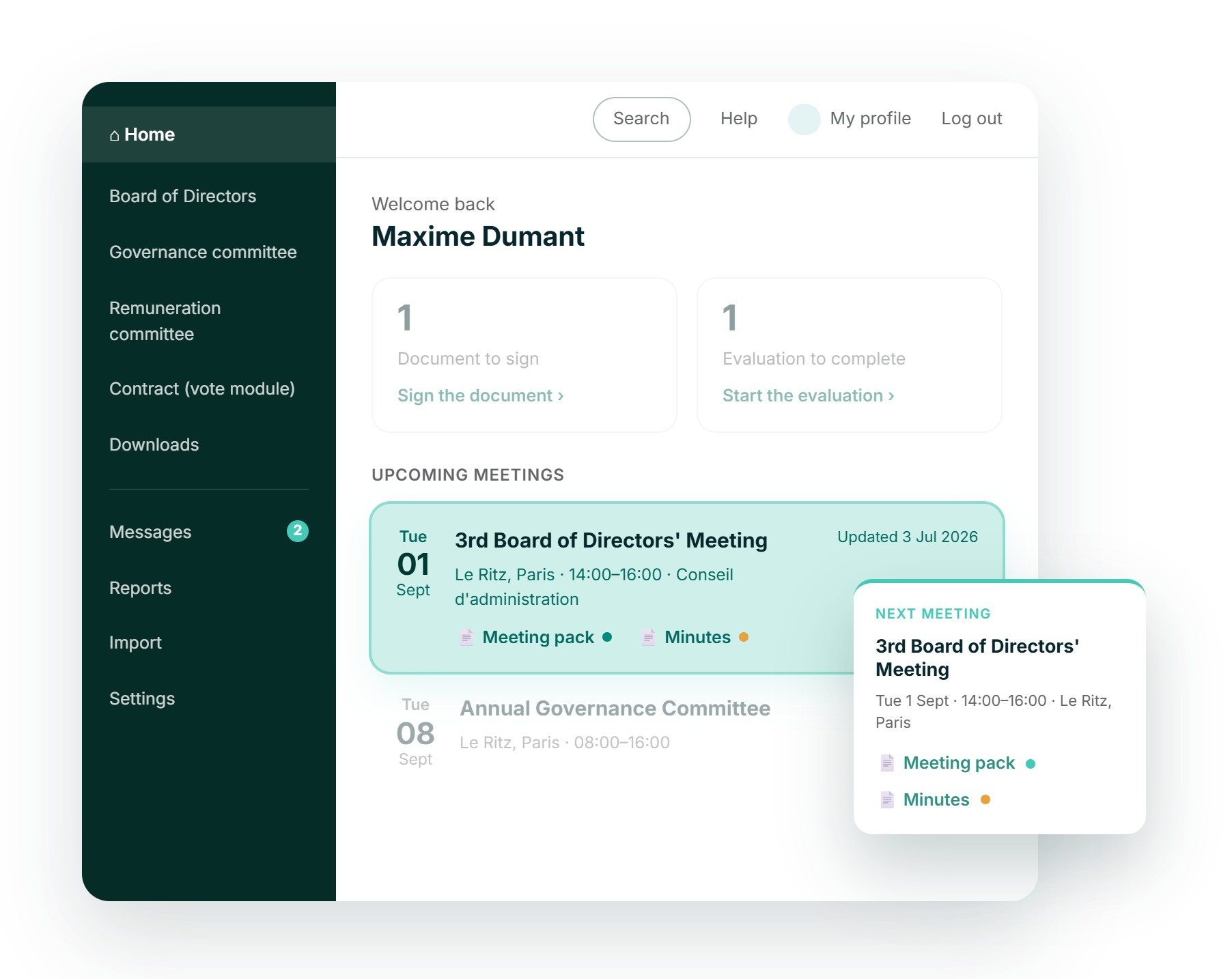

Oriented in seconds
Sign in and the next meetings, the notices from your administrators and anything waiting on you are already on screen.

Your message, your portal
Portal administrators publish text, images and links from the page itself, so a notice reaches the board without a separate email.

One portal, or twenty
Users active in several organisations move between portals from the top of the screen, without signing in again.

Branded as your own
A portal logo, icon and banner carry your organisation's identity across every page and into the mobile app.
Editable page
The secretariat decides what the board reads first
Administrators edit the dashboard directly on the page, adding text, images and links without raising a ticket or waiting on a developer. Uploaded images are kept in an image repository, so a banner or a portrait used once can be reused across the portal.
- Edit in place, from the page the board already reads
- Text, images and links, in PNG, JPG, GIF or BMP
- Links outside Admincontrol domains rendered as plain text
.png?height=1000&name=dashboard-feature-images-stylised-selection%20(2).png)
Upcoming meetings
Every meeting you have been invited to, in one list
The meetings section shows the upcoming meetings a user has been invited to, together with any published to the whole portal, each with a link straight into the meeting. Directors see their own commitments rather than the organisation's entire calendar.
- Your own meetings and those published portal-wide
- A direct link into the meeting from every entry
- Date, time and the board or committee on each one
.png?height=1000&name=dashboard-feature-images-stylised-en-selection%20(1).png)
Several organisations
One sign-in across every organisation you serve
The drop-down at the top of the page lists every portal where a user is active, so a chair or an adviser working for several organisations moves between them without signing in again. Each portal keeps its own logo, icon and banner, in the browser and in the app.
- A portal menu listing every organisation you serve
- Portal logo on every page, icon in the switcher
.png?height=1000&name=dashboard-feature-images-stylised-en-selection%20(3).png)

ISO 27001:2022
Information security, independently checked

GDPR compliant
Meets EU data-protection standards by design

AES 256-bit
Bank-level encryption.

European data residency
Hosted & processed entirely in the EEA