









.png)




.svg)
.svg)
.svg)







.png)
.png)







.jpg)

%20F%20(1).jpeg)







.webp)






 Login
Login
| QUICK ANSWER — 3 STEPS TO FIND AN LEI |
|
Step 1: Go to search.gleif.org (the GLEIF Global LEI Index — free, public access). Step 3: View the entity's full LEI record, including LEI status (Active/Lapsed), parent relationships, legal address, and renewal date.
The GLEIF Global LEI Index is the authoritative global database of all issued LEIs. There is no charge to search or view LEI records. |
Whether you are onboarding a new counterparty, conducting due diligence before a transaction, or verifying that your own entity's LEI is active ahead of a regulatory deadline, knowing how to search the GLEIF database is a practical skill for anyone working in compliance, legal, or finance.
This guide walks you through the search process step by step, explains what each data field in an LEI record means, and covers what to do if a company's LEI is lapsed — and what that means for your transaction.
What Is the GLEIF Global LEI Index?
The GLEIF Global LEI Index is the world's only free, open, and authoritative database of Legal Entity Identifier records. It is maintained by the Global Legal Entity Identifier Foundation (GLEIF) — the international body that governs the LEI system — and contains the LEI records of every entity that has ever been issued an LEI by any GLEIF-accredited Local Operating Unit worldwide.
As of 2025, the Global LEI Index contains records for more than 2.6 million entities across 90+ jurisdictions. All data is freely accessible — no registration, subscription, or payment is required to search or download LEI records.
|
The GLEIF Global LEI Index is the only authoritative global source for LEI data. Third-party databases may aggregate LEI data, but the GLEIF Index is always the primary, most up-to-date source. |
Step-by-Step: How to Search the GLEIF Global LEI Index
Step 1 — Access the GLEIF Search Interface
Open your browser and navigate to search.gleif.org. The GLEIF Global LEI Index search interface is free, requires no login, and is available in multiple languages. The main search bar accepts legal entity names, LEI codes, and Business Identifier Codes (BIC).
Step 2 — Enter Your Search Term
Type the company's registered legal name or, if you already know it, the 20-character LEI code. For best results with name searches, use the entity's full legal name as it appears in the national company registry (e.g., 'Euronext N.V.' rather than simply 'Euronext'). You can also filter by country, jurisdiction, or entity type to narrow results for common names.
Step 3 — Review the Search Results
Search results display a list of entities matching your search term, showing the entity's legal name, country, LEI code, and current LEI status. Scan the results to identify the correct entity — pay attention to country and legal form to distinguish between entities with similar names.
Step 4 — Open the Full LEI Record
Click on the entity's name or LEI code to open its full LEI record. This record contains all reference data associated with the LEI, including the entity's legal name, registered address, jurisdiction, registration authority, LEI status, and any parent entity relationships.
Step 5 — Verify the LEI Status
Check the LEI Status field — this is the most critical piece of information for compliance purposes. An Active status confirms the LEI is valid and current. A Lapsed status means the entity has failed to renew its LEI and the code is no longer valid for regulatory purposes. See the section below for guidance on what to do when an LEI is lapsed.
What Information Does an LEI Record Contain?
| Data Field |
Description |
|---|---|
| LEI Code |
The unique 20-character alphanumeric identifier, structured per ISO 17442 |
| Legal Name |
The entity's full legal name as registered in its jurisdiction of formation |
| Legal Address |
The entity's registered legal address (may differ from headquarters address) |
| Headquarters Address |
The entity's principal place of business or head office address |
| Country of Formation |
The country under whose laws the entity is incorporated or organised |
| Entity Category |
Whether the entity is a general or branch entity, a fund, or a special purpose entity |
| LEI Status |
Active (valid), Lapsed (expired renewal), Retired (entity no longer exists), Pending, or Merged |
| Registration Authority |
The national registry that issued the entity's company registration number |
| Registration Number |
The entity's official registration number in its national company registry |
| LEI Issuer (LOU) |
The GLEIF-accredited Local Operating Unit that issued and manages this LEI |
| Initial Registration Date |
The date on which the LEI was first issued |
| Next Renewal Date |
The date by which the LEI must be renewed to remain active |
| Direct Parent LEI |
The LEI of the entity's direct accounting consolidating parent (if reported) |
| Ultimate Parent LEI |
The LEI of the highest-level entity in the ownership chain (if reported) |
How to Verify an LEI Is Active and Valid
When conducting due diligence on a counterparty or verifying your own entity's LEI ahead of a regulatory deadline, the LEI Status field is the key data point. GLEIF uses the following status values:
| LEI Status |
Meaning and Compliance Implications |
|---|---|
| ISSUED (Active) |
The LEI is current, valid, and can be used in all regulatory reports and financial transactions. This is the status your entity's LEI must show for compliance purposes. |
| LAPSED |
The entity has failed to renew its LEI within the required 12-month window. A lapsed LEI cannot be used in regulatory reports or financial transactions — it has the same effect as having no LEI. |
| PENDING TRANSFER |
The LEI is in the process of being transferred from one LOU to another. The LEI remains valid during the transfer period. |
| PENDING ARCHIVAL |
The issuing LOU has initiated the archival process — often because the entity is believed to have ceased operations. Contact the issuing LOU for clarification. |
| RETIRED |
The entity no longer exists as a legal entity (e.g., merged, dissolved, or liquidated). The LEI code is permanently retired and cannot be reissued. |
| MERGED |
The entity has been merged into another entity. The LEI record indicates the successor entity's LEI. |
What If a Company's LEI Is Lapsed?
If a counterparty's LEI shows as Lapsed in the GLEIF database, this is a material compliance concern. A lapsed LEI means:
- You cannot legally execute a MiFID II-reportable transaction with that counterparty until their LEI is renewed.
- Any regulatory reports referencing the lapsed LEI may be rejected or flagged by your national competent authority.
- The counterparty's KYC status may need to be put on hold pending LEI reactivation.
These are the reasons why your entity needs a valid LEI. For your own entity: if your LEI is lapsed, you must renew it immediately to resume full regulatory compliance. Euronext Direct processes renewals within 24 hours. The LEI code remains the same after renewal — only the status changes from Lapsed back to Active.
|
Euronext Direct can reactivate a lapsed LEI within 24 hours of renewal submission. Transfer your LEI to Euronext Direct for free and benefit from proactive renewal reminders before your LEI expires. |
Beyond Lookup: Managing Your LEI with Euronext Direct
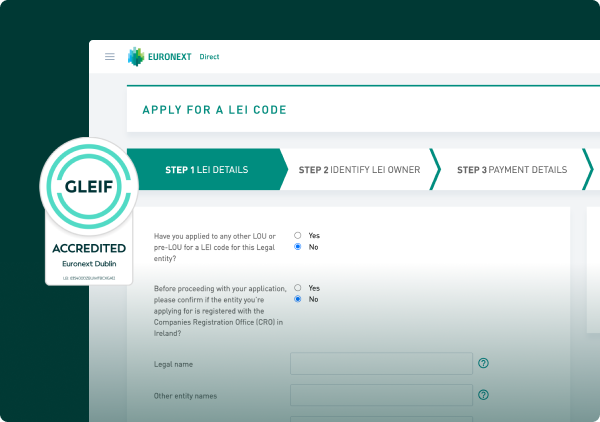
Once you understand what an LEI record contains and how to verify its status, the natural next step is ensuring that your own entity's LEI is always accurate, active, and well-managed. You can manage your LEI with Euronext Direct. Euronext Direct provides a complete LEI lifecycle management platform:
- New LEI registration: apply for a new LEI online — typically issued within one business day.
- Annual renewal: Euronext Direct sends renewal reminders and processes renewals within 24 hours.
- Data updates: notify Euronext Direct of changes to your entity's legal name, address, or parent relationships — processed free of charge.
- Transfer your LEI for free: transfer your existing LEI from any other LOU to Euronext Direct at no cost, with no change to your LEI code.
- Bulk management: manage 10 or more LEIs with volume pricing (33% discount) and consolidated reporting.
Related Topics
- Why the LEI Code Is Essential for Financial and Legal Transactions
- How the Global LEI System Works: A Complete Guide
- What Is the Global Legal Entity Identifier (LEI) System?
- GLEIF 2.0 and the Evolution of the LEI System
Frequently Asked Questions
Yes, completely free. The GLEIF Global LEI Index at search.gleif.org is freely accessible to anyone without registration, subscription, or payment. You can search, view, and download individual LEI records or bulk data at no cost. This is a core principle of the LEI system: transparency requires universally accessible data.
Yes. The GLEIF search interface accepts legal entity names as well as LEI codes. For best results, use the entity's full official legal name as registered in its home jurisdiction. You can also filter by country to narrow results if the name is common.
A lapsed LEI means the entity has not renewed its LEI within the required 12-month window — the entity still exists, but its LEI is no longer active. Renewal restores the LEI to Active status. A retired LEI means the entity itself no longer exists — it has been dissolved, merged into another entity, or otherwise ceased to have legal existence. Retired LEIs cannot be renewed or reissued.
Yes. You can transfer your lapsed LEI to Euronext Direct at no cost and renew it through our platform. The transfer and renewal can be processed simultaneously, restoring your LEI to Active status within 24 hours of submission. Your LEI code does not change.