






.png)




.svg)
.svg)
.svg)






.png)
.png)





.jpg)
%20F%20(1).jpeg)







.webp)






 Login
Login
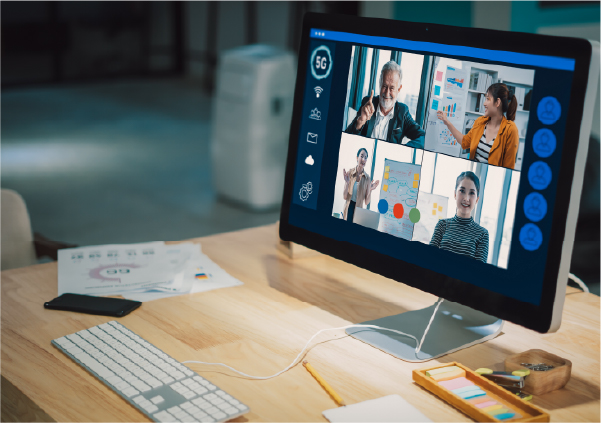
An interactive webinar is one that converts passive viewers into active participants, deploying live polls, question-and-answer sessions, chat, quizzes, live demonstrations and breakout rooms to involve the audience in the event rather than merely broadcast at them. This is not a cosmetic distinction. Interaction is the principal reason webinars retain professional attention for so long and the principal reason audiences absorb the message, which establishes engagement as the discipline upon which the commercial value of the entire event ultimately depends.
The evidence is compelling. Interactive webinars hold professional attention longer and lift retention well beyond what a passive broadcast achieves, and the steady escalation in average viewing times over the past decade has been driven substantially by the more sophisticated use of interactive features. An audience that participates is an audience that remains.
The interactive features that matter
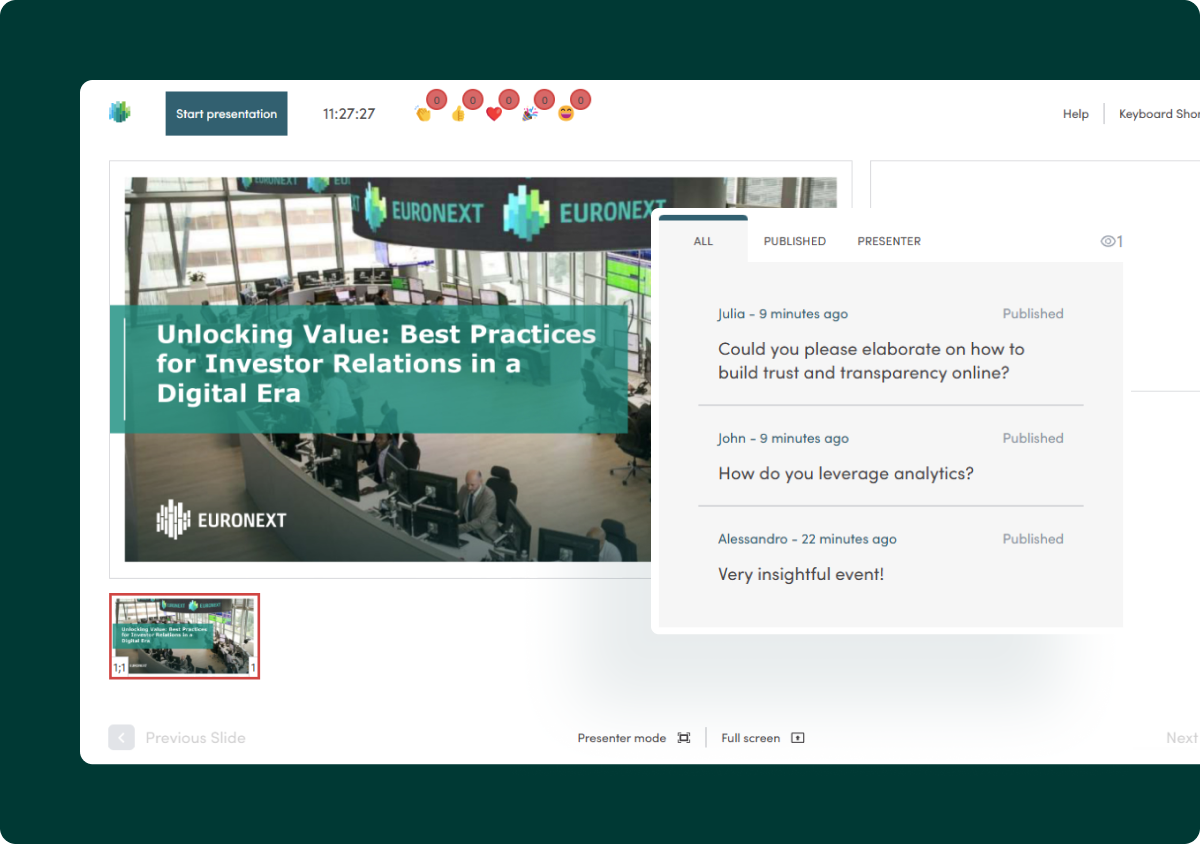
A handful of features perform the majority of the work. Live polls enable the presenter to gauge opinion in real time and configure the discussion around it. A moderated question-and-answer session, valued by the overwhelming majority of attendees, grants the audience direct access to the experts and signals transparency, which is especially consequential for investor events. A chat function permits participants to engage with one another and with company insiders as the event unfolds, surfacing the pain points that inform subsequent content. Quizzes interrupt the session and assess what attendees have absorbed; live demonstrations introduce a practical dimension; and breakout rooms allow attendees to examine the theme in smaller groups, deepening their comprehension. EngageStream provides all of these as standard, engineered to engage the audience and cultivate trust in the host organisation.
Deploy interaction deliberately, not reflexively
Features deployed without purpose can prove counterproductive. The objective is to harness interaction to enhance the content, not to ornament it. Devise a running order that designates when each feature will appear and how each call to action will be issued. Indicate early that the chat will operate throughout, in order to initiate the conversation. Distribute polls and quizzes across the session so that the audience is never overwhelmed with requests, and select breakout sessions judiciously, furnishing clear instructions so that participants understand exactly what is expected of them.
Different events warrant different emphasis. For an investor event, the question-and-answer segment is essential, because it demonstrates transparency and assists shareholders in interpreting the figures. For a thought-leadership event, opinion polls help calibrate the content to the audience’s preconceptions in real time. The principle is to align the interactivity with the underlying purpose of the event.
Orchestrate the interaction effectively on the day
Interaction requires active management. Assign someone to moderate the chat, maintaining a constructive tone and flagging interesting points for the panel, and assign someone else to collate questions for the question-and-answer session and to extract insight from the poll results. This contextualises the interactivity and converts it into material you can subsequently utilise, rather than activity for its own sake. When attendees observe that their contributions are genuinely valued, they engage more profoundly still.
Present for engagement
The manner in which the content is delivered matters as much as the features surrounding it. Presenters should lead with insight rather than a sales pitch, concentrating on an empathetic understanding of the audience’s challenge. They should be conversational and relatable, eschewing jargon in favour of a warm, human tone, and they should ground their advice in authentic stories and examples. Encouraging interaction throughout sustains energy and creates a genuine two-way dialogue, while respecting the structure and timing keeps the session disciplined. When a question cannot be answered, candour serves considerably better than improvisation: offering to follow up afterwards reinforces the trust upon which an educational event depends.
Anticipate the recurrent pitfalls
A few problems recur with sufficient frequency to warrant pre-emption. Low participation is rarely fatal, because a well-promoted event recovers much of its audience on demand afterwards, but it underscores the importance of leading every message with the value on offer. Audience fatigue originates in over-long, undynamic sessions and is counteracted by subdividing topics into short segments, varying the format and punctuating it with purposeful interaction. Technical failures can undermine an otherwise accomplished event, which is precisely why a provider with the capacity to manage high traffic and deliver a stable, professional stream justifies the investment.
Avoid the classic errors as well: an uninspiring topic, a weak speaker, a protracted self-indulgent introduction, text-saturated slides, drifting off-topic, and neglecting the follow-up. Each is avoidable with preparation, and avoiding them is what distinguishes a webinar that converts from one the audience quietly abandons.
Key takeaways
-
Interaction is why webinars hold professional attention longer than any other digital format.
-
Core features: live polls, Q&A, chat, quizzes, live demos and breakout rooms.
-
Use interaction with purpose; assign moderators to manage chat and Q&A.
-
Present with empathy and honesty, and avoid the classic delivery mistakes.
FAQs
What makes a webinar interactive?
Features such as live polls, moderated Q&A, chat, quizzes, live demonstrations and breakout rooms that turn passive viewers into active participants.
Why is interactivity important in webinars?
Interaction sustains attention and lifts retention well beyond what a passive broadcast achieves. An audience that participates stays longer and remembers more of your message.
How do you keep a webinar audience engaged?
Plan when each interactive feature appears, spread them out to avoid overload, present with a warm and relatable tone, and assign moderators to manage chat and Q&A.
References and further reading
- B2B webinar strategy
- How to plan and structure a webinar
How to repurpose webinar content- EngageStream webinar platform
- Top 10 AI tools for webinars
- IR webcasting best practices
- How to lead a town hall that engages